Do you need a microSD Express card for Switch 2 yet?
Build a storage budget from current Nintendo game sizes, check available space and distinguish Express cards, game-key cards and saved data.
The useful starting number is the space left on your console, not the capacity printed on a card package. Switch 2 has 256GB of internal storage, but Nintendo reserves part of it for the system, and your own installed software uses more.
Check what you want installed together before choosing between no card, a smaller expansion or a larger one. A fixed recommendation such as 512GB for every owner skips that decision.
Start with the space you actually have
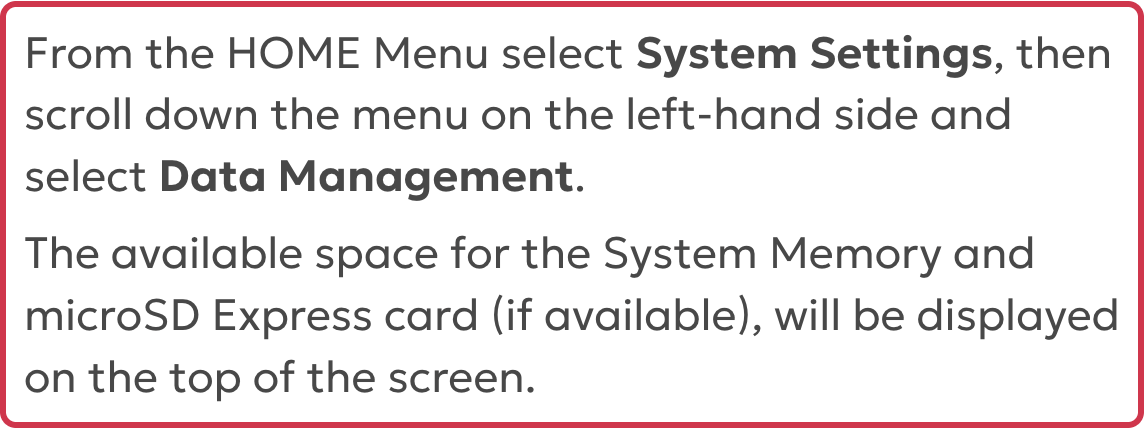
Nintendo’s instructions put the check at HOME Menu → System Settings → Data Management. The available system-memory and inserted microSD Express space appear at the top of the screen.
Then list the downloads you want to add that are not already installed. Use the exact game’s store page or package, including its edition and required downloads. Counting an already installed game again would inflate the extra space you need.
A two-game budget can produce two different buying decisions
These US Nintendo store listings, checked October 24, 2026, provide a small worked example:
| Digital game | Listed game file size |
|---|---|
| Mario Kart World | 22.2 GB |
| Donkey Kong Bananza | 9 GB |
| Combined listed downloads | 31.2 GB |
Suppose neither game is installed yet. With a hypothetical 100 GB free, those listed downloads leave 68.8 GB before other changes. The example does not require buying a card immediately.
With a hypothetical 16 GB free, the same downloads are 15.2 GB short. You would need to free space, keep fewer games installed together, or add compatible storage. That shortfall does not by itself justify a particular 256GB, 512GB or larger purchase.
Those calculations use the displayed file sizes, not a prediction of the final installed total. Updates, DLC, captures, other software and version differences can change the requirement. Check the current listing and your console’s download requirements, and allow room for the content you actually intend to keep. There is no universal number of games per card.
A physical box does not always avoid a download
Nintendo’s game-key card FAQ explains that a game-key card does not contain the full game data. You need an internet connection and enough system-memory or microSD Express space to download the game. Required space is shown on the package, and the card must remain inserted to play.
Check whether the exact physical product is a game-key card before leaving it out of your storage budget. Do not treat all boxed games as equivalent to a full game stored on a cartridge, or assume that a physical purchase means no update or additional download.
When you do buy, verify Express before capacity
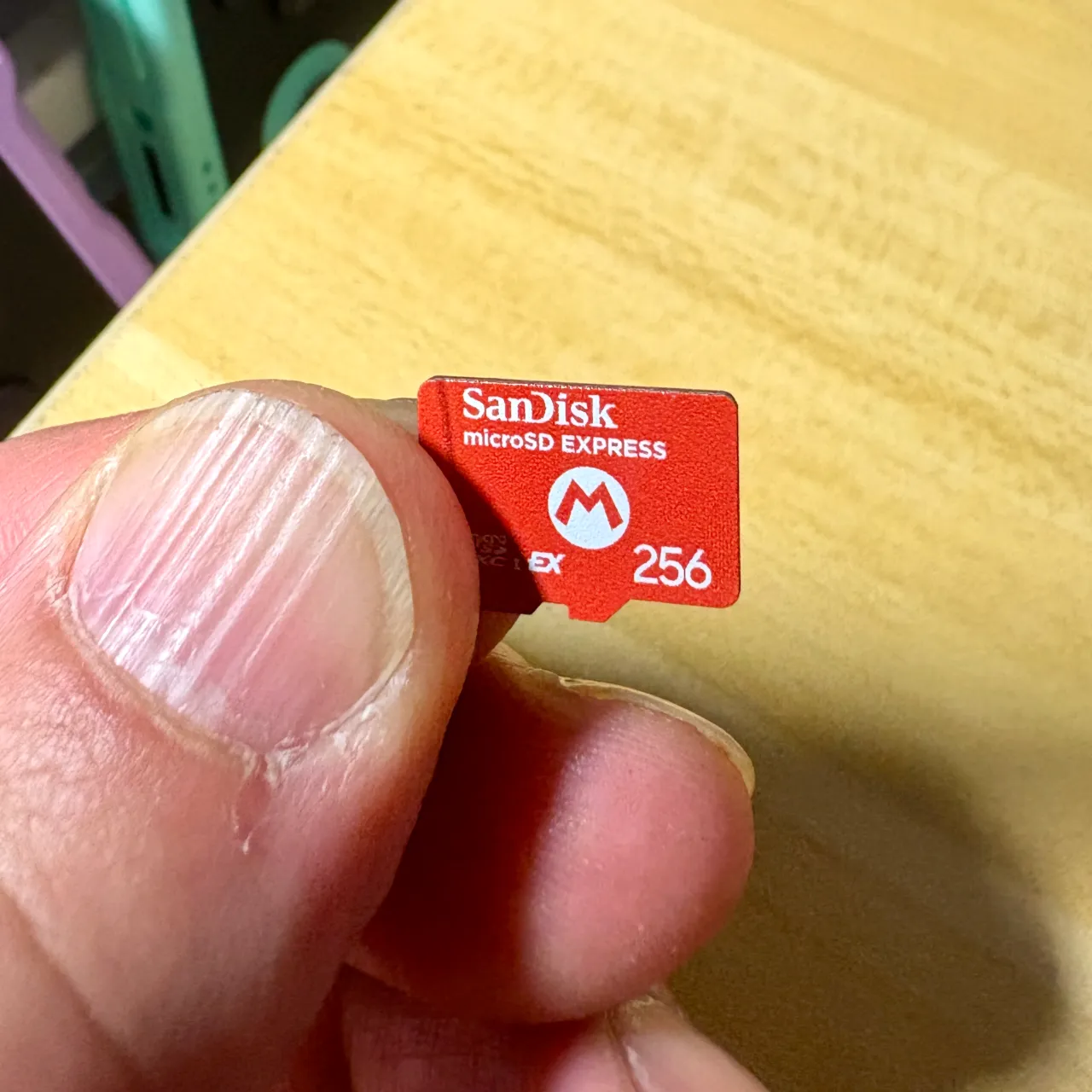
For Switch 2 game storage, Nintendo requires microSD Express. An ordinary microSD card used in an older Switch does not become Express because it has a large capacity or a fast-looking label. Check the exact listing and the Express marking, rather than relying on a similar red card or Nintendo branding alone.
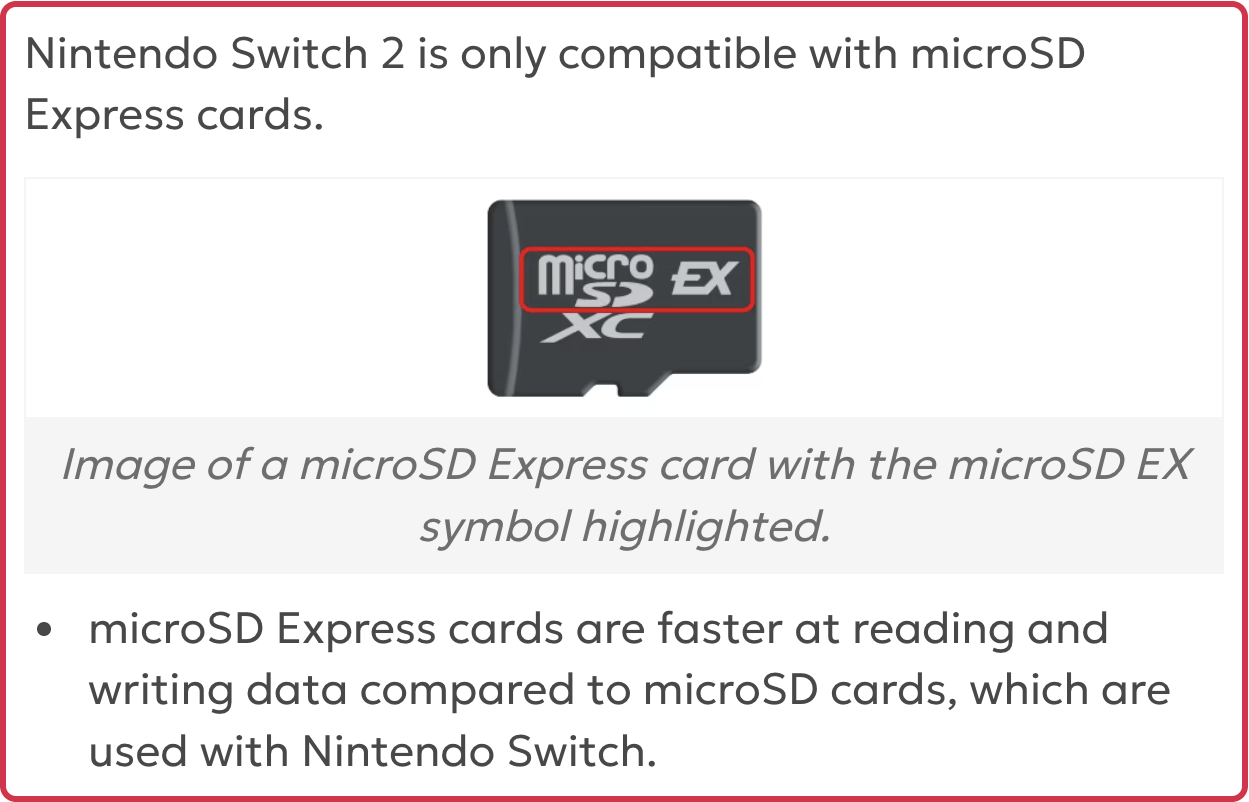
Nintendo’s Express card FAQ says any card meeting the microSD Express standard, up to 2TB, can be used. Nintendo branding is not itself a requirement. A system update through the internet is required the first time you use an Express card.
Your old ordinary microSD card still has a limited use: Switch screenshots and videos can be imported from it. That does not let it store or load Switch 2 digital games.
Save data stays in system memory and cannot be saved to the Express card. Buying a card is therefore not a save-data backup plan. Nintendo also recommends using one Express card: downloaded software on separate cards cannot later be combined onto one card. Do not assume that collecting several small cards will provide a simple path to one larger library.
Choose capacity from the library you want available
If the desired downloads fit now, keep using the available internal space and revisit the decision as your library grows. If unwanted installed software is the reason you are short, consider freeing space before spending money. If you want more games available together, compare a compatible card’s usable space and current price with that actual need.
This is a storage-planning guide, not a card-speed test. Advertised transfer rates alone do not establish a measured improvement in Switch 2 loading times. The photo shows an actual Express card as an example, not a tested best buy.
After choosing the format and capacity, compare the exact product and seller terms. If considering Best Buy, our Best Buy price-match guide explains what to check before asking about another seller’s price.
Sources
- Nintendo Switch 2 microSD and microSD Express compatibility (checked )
- Nintendo Switch 2 microSD Express card FAQ (checked )
- How to check available space on Nintendo Switch 2 (checked )
- Nintendo Switch 2 technical specifications (checked )
- Nintendo Switch 2 game-key card FAQ (checked )
- Mario Kart World, Nintendo US store (checked )
- Donkey Kong Bananza, Nintendo US store (checked )
- Cover photo: Kyu3a, CC BY-SA 4.0