Ring without a subscription: what to budget before buying
Compare live answering with recorded events, then work out Ring subscription base costs for one, two or three cameras at the same address.
Decide whether you want to answer the door as something happens or watch an event you missed. Those uses lead to different ongoing costs, even when the doorbell hardware is the same.
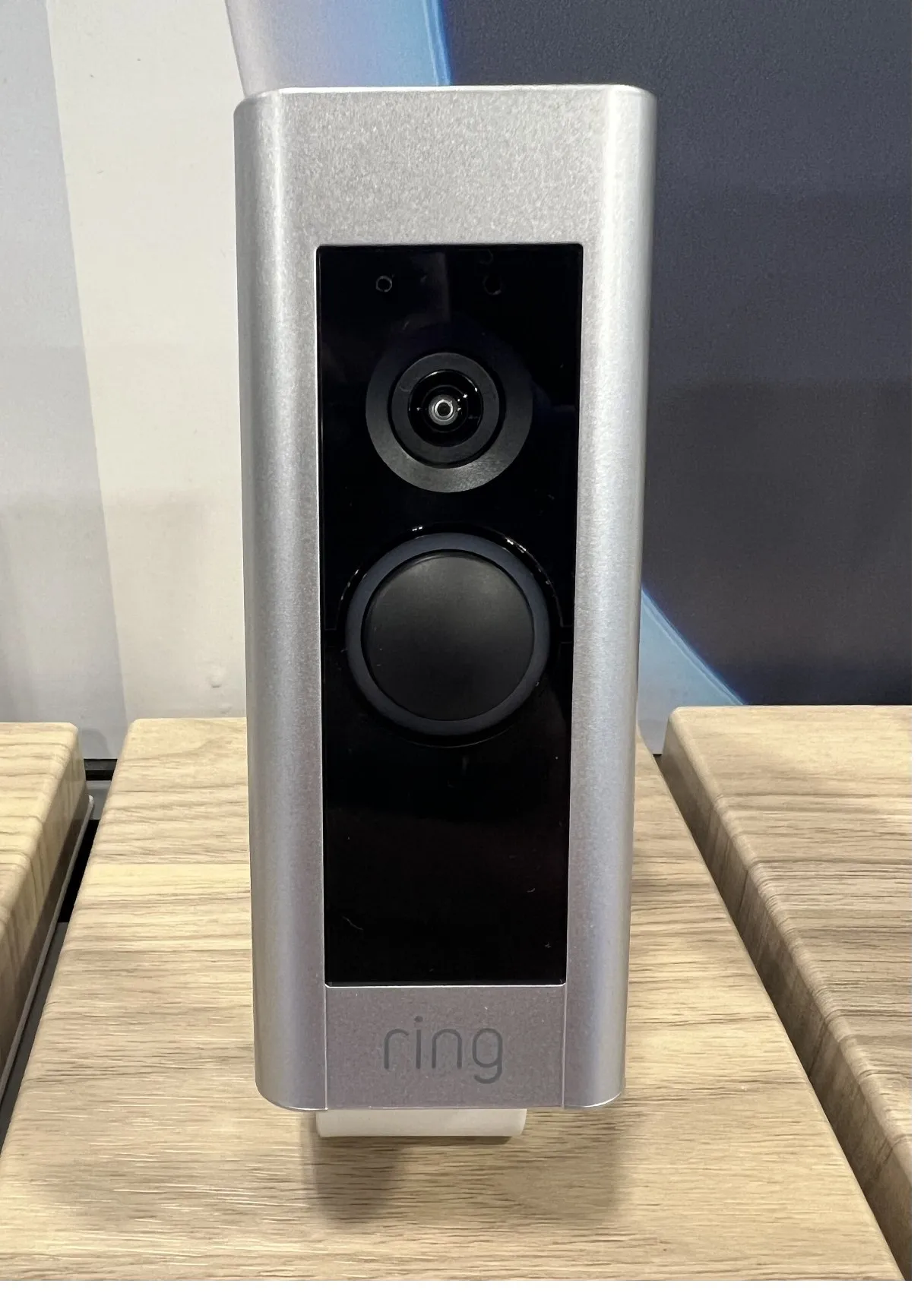
This guide uses Ring’s US public plans as checked October 26, 2026. The photograph illustrates an older Ring doorbell; it does not establish that model’s eligibility for every current feature. No doorbell or notification performance was tested.
Free live answering and paid playback solve different needs
Without a subscription, Ring supports Live View, real-time alerts and two-way talk. You still need the device’s required power, home wifi, a compatible mobile device and the Ring app. Check the exact doorbell’s wiring or battery requirements before buying; this guide does not cover electrical installation.
The important limitation is what happens when you are unavailable. Ring requires a subscription to review recorded events. An event entry in the app’s history does not mean there is a recoverable video behind it. Subscribing after an event does not recover footage from the period when you had no recording coverage.
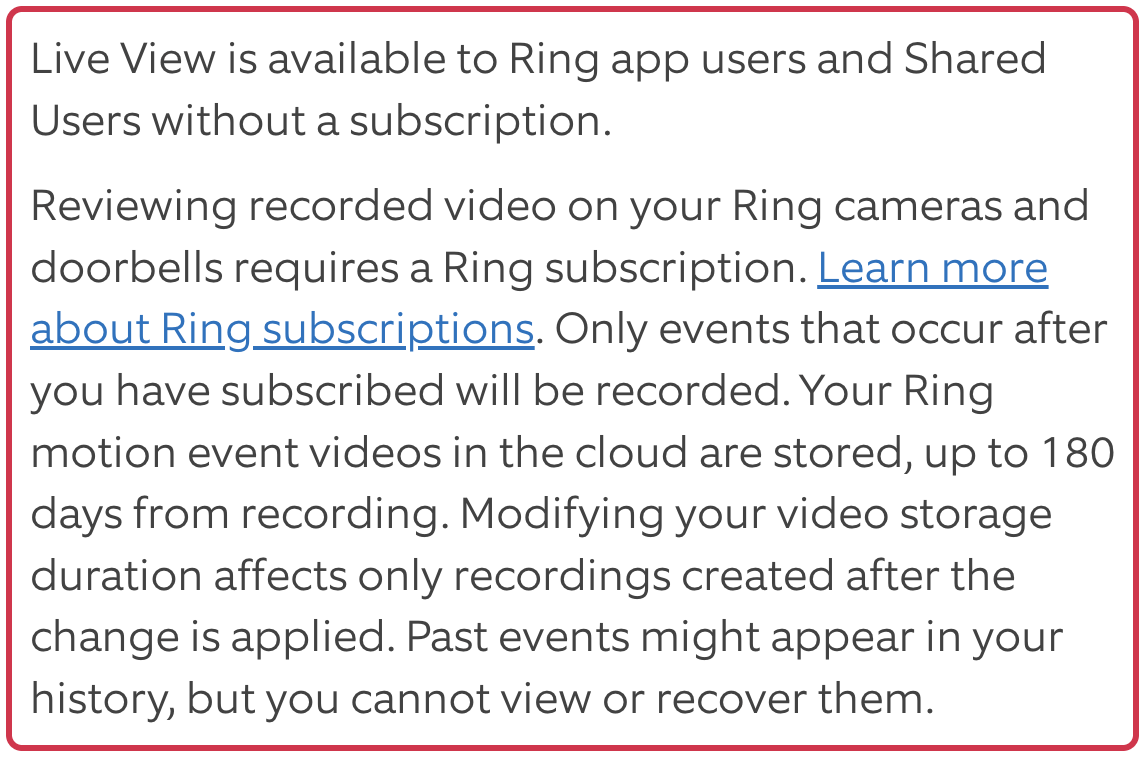
If your main purpose is seeing and speaking to a visitor when you open the alert, the free features may meet that need. If your purpose is reviewing a delivery after work, include recording coverage in the buying decision from the start. This is a feature distinction, not a guarantee that the device will capture every event or notify you reliably.
Count devices and addresses before choosing a plan
Ring currently calls its single-device plan Solo and its whole-location plan Multi. The US plan page lists Solo at $4.99/month or $49.99/year, and Multi at $9.99/month or $99.99/year, plus applicable tax. Plans auto-renew until canceled.
The comparison below is arithmetic at those advertised base rates. It assumes each device can be quoted its own Solo subscription and that all devices being compared with Multi are at one address. Confirm the actual account offers before paying. Annual prices mean one annual payment, not twelve monthly payments.
| Devices at one address | Separate Solo: per month | Separate Solo: per year | One Multi: per year |
|---|---|---|---|
| 1 | $4.99 | $49.99 | $99.99 |
| 2 | $9.98 | $99.98 | $99.99 |
| 3 | $14.97 | $149.97 | $99.99 |
At two devices, Multi is not cheaper on advertised base price: two Solo plans total one cent less at either monthly or annual billing. Multi can still be a reasonable choice for its additional benefits or another device you plan to add. Ring lists extended warranty coverage among Multi’s benefits, with eligible-device conditions; it is not a blanket warranty for every old camera.
At three devices at the same address, Multi’s advertised base cost is lower than three separate Solo plans. Multi covers one location, so do not put cameras at a second home into that calculation. Ring says different addresses need separate plans.
One sentence in the public plan FAQ describes Solo as covering all home devices. That conflicts with the page’s price card and its other FAQ answers. Ring’s subscription support page also defines Solo as one device and Multi as one location. Use that corroborated scope and confirm the devices listed in your quote.
Compare annual billing with what you will actually pay
For one device, twelve Solo monthly payments total $59.88, compared with $49.99 for one annual payment. For two separately covered devices, the same comparison is $119.76 against $99.98. Twelve monthly Multi payments total $119.88, compared with $99.99 annually.
These examples assume twelve paid months at unchanged current rates. They exclude trial time, tax, add-ons, hardware, installation and internet costs. They show base subscription charges, not a complete ownership cost or a promise that prepaying is best for someone who needs coverage for only part of a year.
A new or certified refurbished compatible Ring device can start a 30-day trial, subject to Ring’s eligibility and existing-location-coverage conditions. Trial playback is not proof that playback will remain free. Ring warns that stored recordings are lost and cannot be recovered when paid or trial coverage lapses without a subscription. Save wanted clips before coverage ends.
A microSD card is not a free Ring recording workaround
Ring does have a local-storage route, but its Ring Edge requirements include an Alarm Pro base station, a microSD card and an eligible subscription. Compatible Ring devices must use the required eero network setup, and the Ring and Amazon accounts must be linked. The current support page limits Ring Edge to 1080p devices and excludes 2K and 4K devices.
Do not buy a card expecting it to add free recording to an ordinary Ring doorbell. If subscription-free recordings are essential, compare another product’s exact local-storage requirements before choosing the hardware. This guide does not test or recommend a competing doorbell.
Check the free function you would use
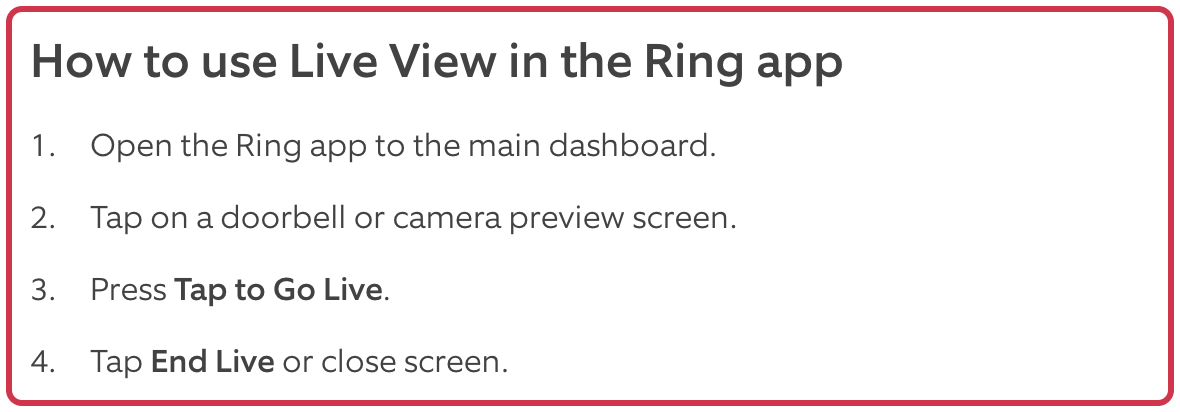
Ring’s public instructions show the Live View route: open the app dashboard, tap the doorbell or camera preview, then select Tap to Go Live. The microphone is muted initially; use its control if you want to speak. We checked the instructions, not a signed-in device session.
If you already ordered from Walmart.com and the power or subscription requirements do not suit you, our Walmart online-order return guide explains how to find the order’s available return route.
Sources
- Ring Protect plans — US pricing and conditions (checked )
- Understanding Ring Protect subscriptions (checked )
- Live View for doorbells and cameras (checked )
- Ring subscription comparison — official blog (checked )
- Store and process videos locally with Ring Edge and Ring Alarm Pro (checked )
- Ring Video Doorbell and Security Camera FAQ (checked )
- Cover photo: TaurusEmerald, CC BY-SA 4.0