Kindle or Kobo for library books: check your titles first
Compare US Libby borrowing by title format, Kobo model and sign-in route before buying an e-reader for ebooks or borrowed audiobooks.
Before comparing screen sizes, open your library’s digital collection and look up the books you expect to borrow. The relevant question is whether those particular loans can reach the reader you are buying. A library offering Libby does not mean every title works on every e-reader.
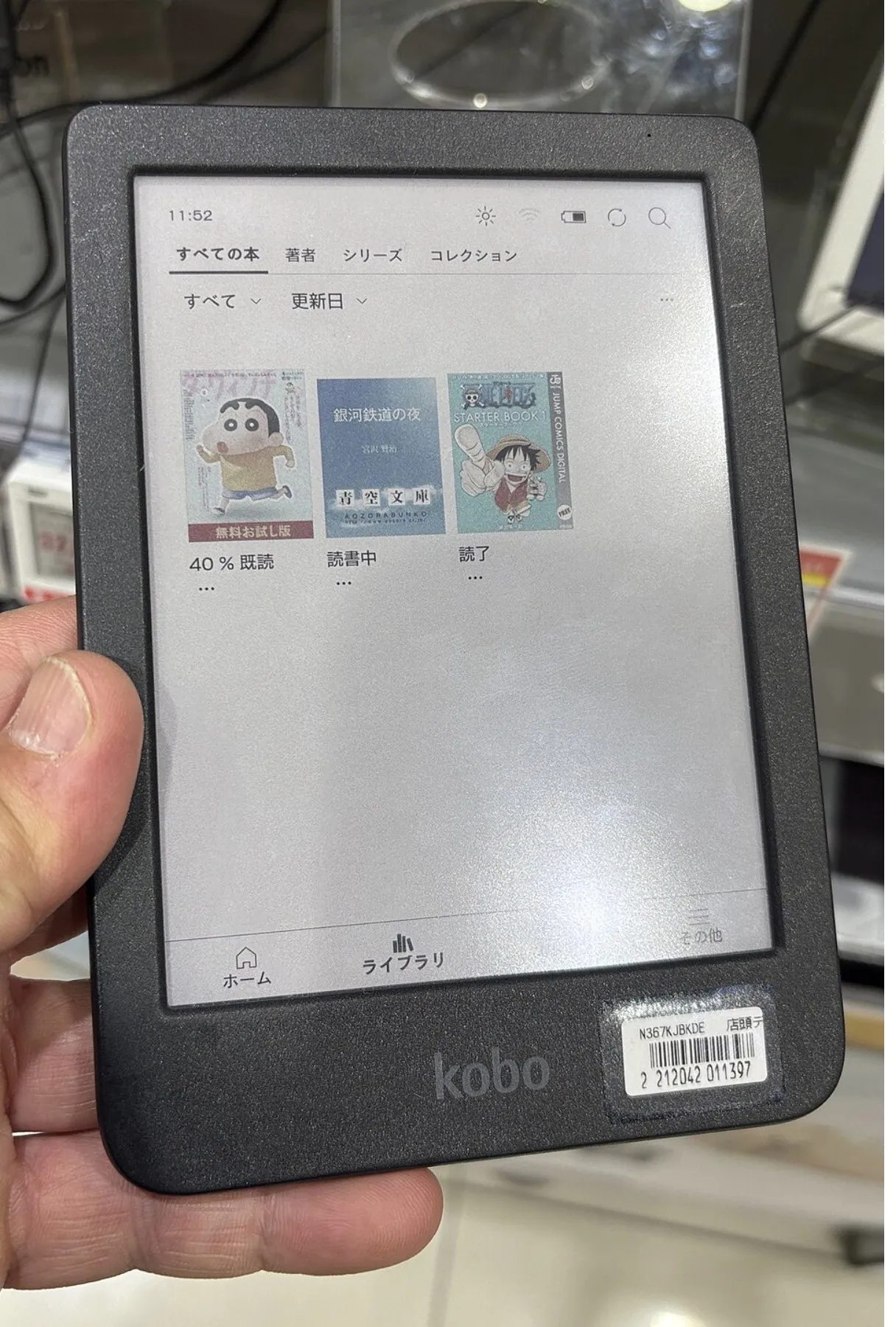
This guide covers US public-library borrowing through Libby, using official instructions checked October 26, 2026. It does not rank hardware, promise a complete catalog or cover every other library service. The photo is a Kobo hardware illustration, not evidence of a US library connection or current firmware.
Make a small reading list before choosing the device
Pick a few books you would actually read and check the following conditions. A missing title or waiting list may matter more to your purchase than another hardware feature. Availability and lending periods are set by the library.
| Check before buying | Kindle route | Kobo route |
|---|---|---|
| Your library | Eligible Kindle borrowing is a US feature | Confirm the library participates in the supported Libby/OverDrive route |
| Each desired ebook | Look for Kindle in the title’s Read With options | Confirm a compatible edition and supported borrowing route; the title alone is insufficient |
| The actual device | An eligible loan is delivered through your Amazon account | Check the specific model and current card-linking instructions |
| Borrowed audiobooks | Libby audiobooks do not play on Kindle e-ink readers | Libby audiobooks do not play on Kobo eReaders |
If borrowed audio is your main reason for shopping, check Libby on a supported phone or tablet instead. A Kindle Fire tablet is a different device and app route from a Kindle e-ink reader. Bluetooth or audiobook features on a product page do not establish compatibility with your library’s borrowed audio.
On Kindle, check Read With before downloading another format
Libby’s Kindle troubleshooting page says to tap a book’s jacket, scroll to Read With, and look for Kindle. Check the actual library edition, rather than relying on the existence of an Amazon retail listing with the same title.
For an eligible loan, Libby’s documented delivery route is Shelf > Loans > Read With… > Kindle. It then opens Amazon’s website, where you sign in if prompted and select Get Library Book. The book goes to devices associated with that Amazon account. Check that you are using the account linked to the intended reader.
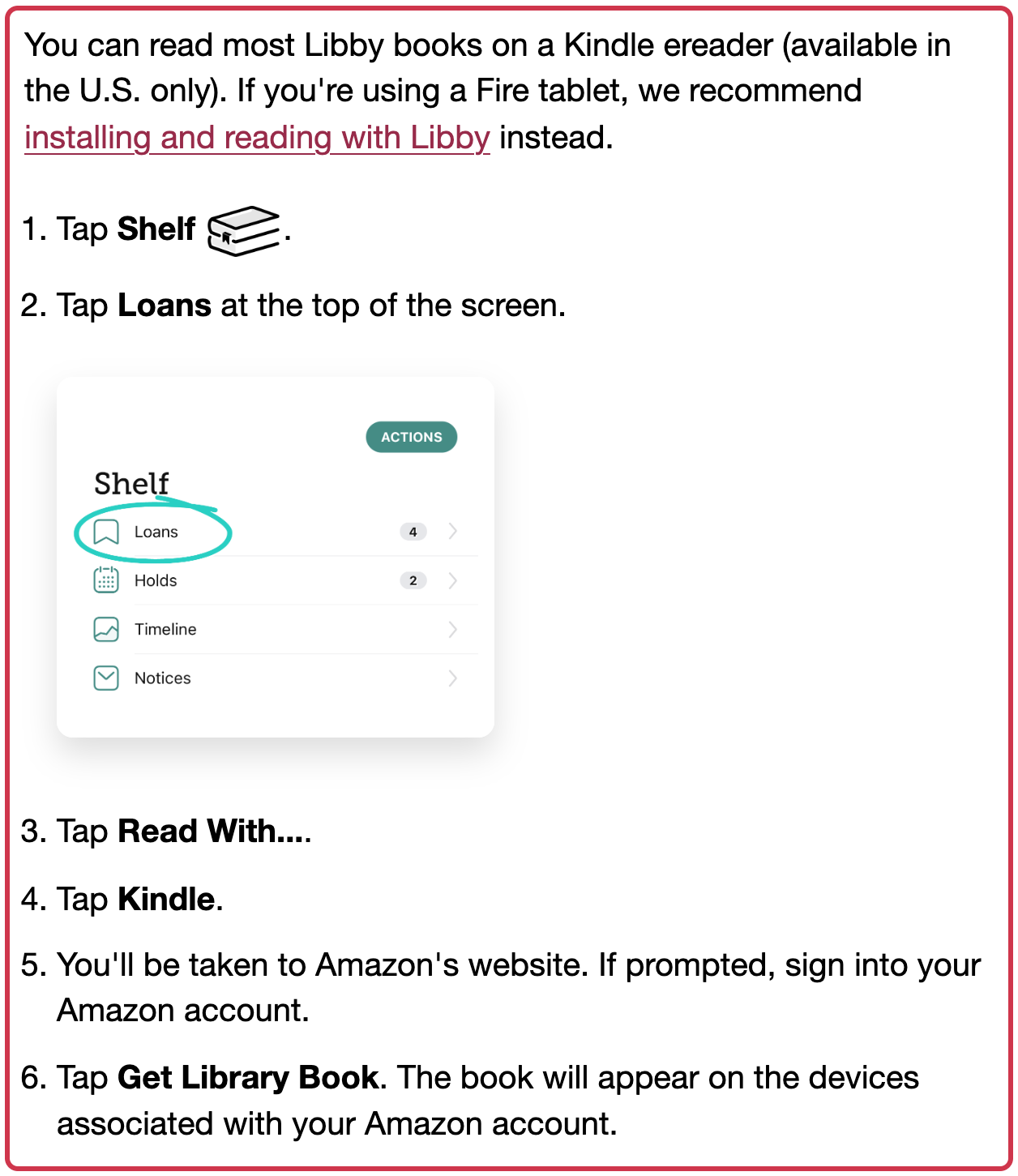
If you already downloaded that loan in another format, such as EPUB, Libby says you cannot send it to Kindle from Libby unless you borrow it again. A reading preference set to Libby can also explain why the expected Kindle action is missing. Check those conditions before concluding that a new device is required.
On Kobo, check the model and the edition
Built-in library borrowing is model-specific. Kobo’s current borrowing guide includes the US and lists supported readers such as Clara BW, Clara Colour and Libra Colour, alongside several older models. Check the complete current list for the exact reader you are considering; do not assume every Kobo has the same route.
Libby describes two options on a compatible Kobo: browse and borrow on the reader, or borrow in Libby on another supported device and sync the reader over wifi. The library card used on the reader must match the card used for the loan.
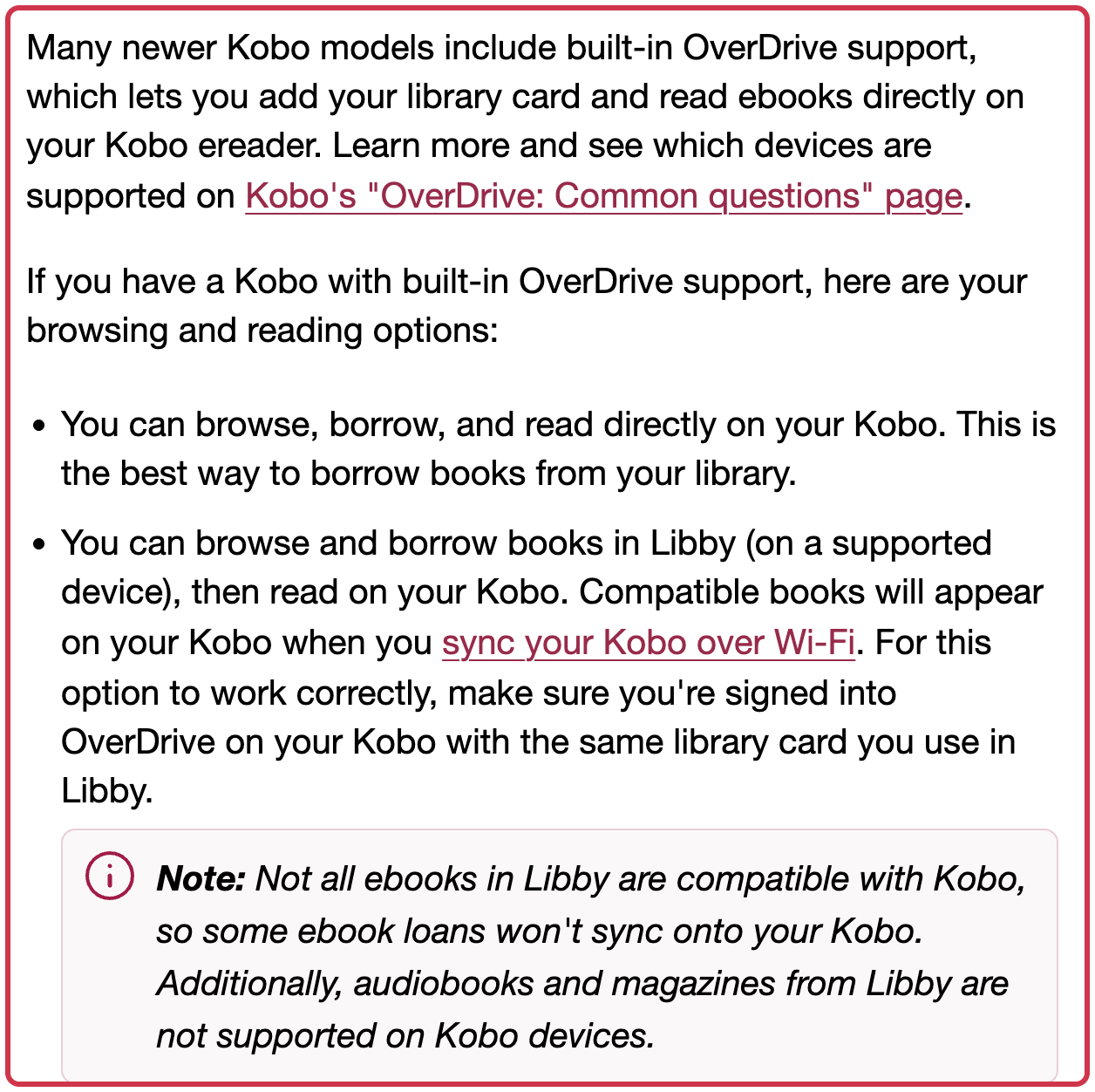
Kobo’s edition-matching explanation adds a less obvious condition: wireless sync depends on the edition’s ISBN-13 and publication date matching its catalog. An updated or movie tie-in edition can have a different ISBN, even when the title and author are the same. Finding the title in both places therefore does not guarantee that the borrowed edition will sync wirelessly.
Libby describes Adobe Digital Editions as another transfer route for older Kobo devices, and Kobo points to it for some books outside its catalog. Verify that the particular loan offers an eligible downloadable file and that your device supports the process before treating this as a fallback. It does not make every incompatible title available.
Use the current Kobo card-linking instructions
Kobo’s About Libby page says readers updated to software version 6.0 or later need to re-add their library card. Its current instructions use My Account > Settings > Libby, followed by Get Started and Add Library. Choose the library, then use the QR code or the displayed web address and code to complete sign-in.
Menu wording may differ from older OverDrive walkthroughs. Follow the instructions for your device’s software rather than combining old and new screens into one assumed process. We inspected the public instructions, not a signed-in card link, actual title match, checkout or delivery to a reader.
Both brands can suit US library ebook readers when the actual books and borrowing route fit. If your intended books are available only inside the Libby app, keep that requirement separate from your e-ink shopping decision.
If you already bought a reader from Amazon and discovered the mismatch afterward, check the order’s return options before buying another device. Our Amazon return-window guide explains how the standard period and product exceptions differ.
Sources
- Libby — reading Kindle Books on a Kindle ereader (checked )
- Libby — why a book cannot be sent to Kindle (checked )
- Libby — reading ebooks on a Kobo ereader (checked )
- Kobo — borrow ebooks using your Kobo eReader (checked )
- Kobo — about the Libby app (checked )
- Kobo — Libby limitations and matching editions (checked )
- OverDrive — library audiobook compatibility with Kindle and Kobo (checked )
- Cover photo: Kyu3a, CC BY-SA 4.0