Apple 35W dual or 70W charger for your MacBook Air?
Match your MacBook Air and second device to Apple’s power split, fast-charge requirements and cable costs before replacing a working adapter.
The choice depends on what you plug in together and how urgently the Air needs to charge. Two ports are useful when one outlet must serve two devices. A higher single-port rating serves a different need.
Apple’s US store lists the 35W Dual USB-C Port Compact Power Adapter (MW2H3AM/A) and 70W USB-C Power Adapter (MXN53AM/A) at $59 each, as checked October 26, 2026. Those are adapter prices before applicable tax, and both list charging cables separately. Compare your actual delivered basket and the cables you already own, rather than assuming the two options have different prices.
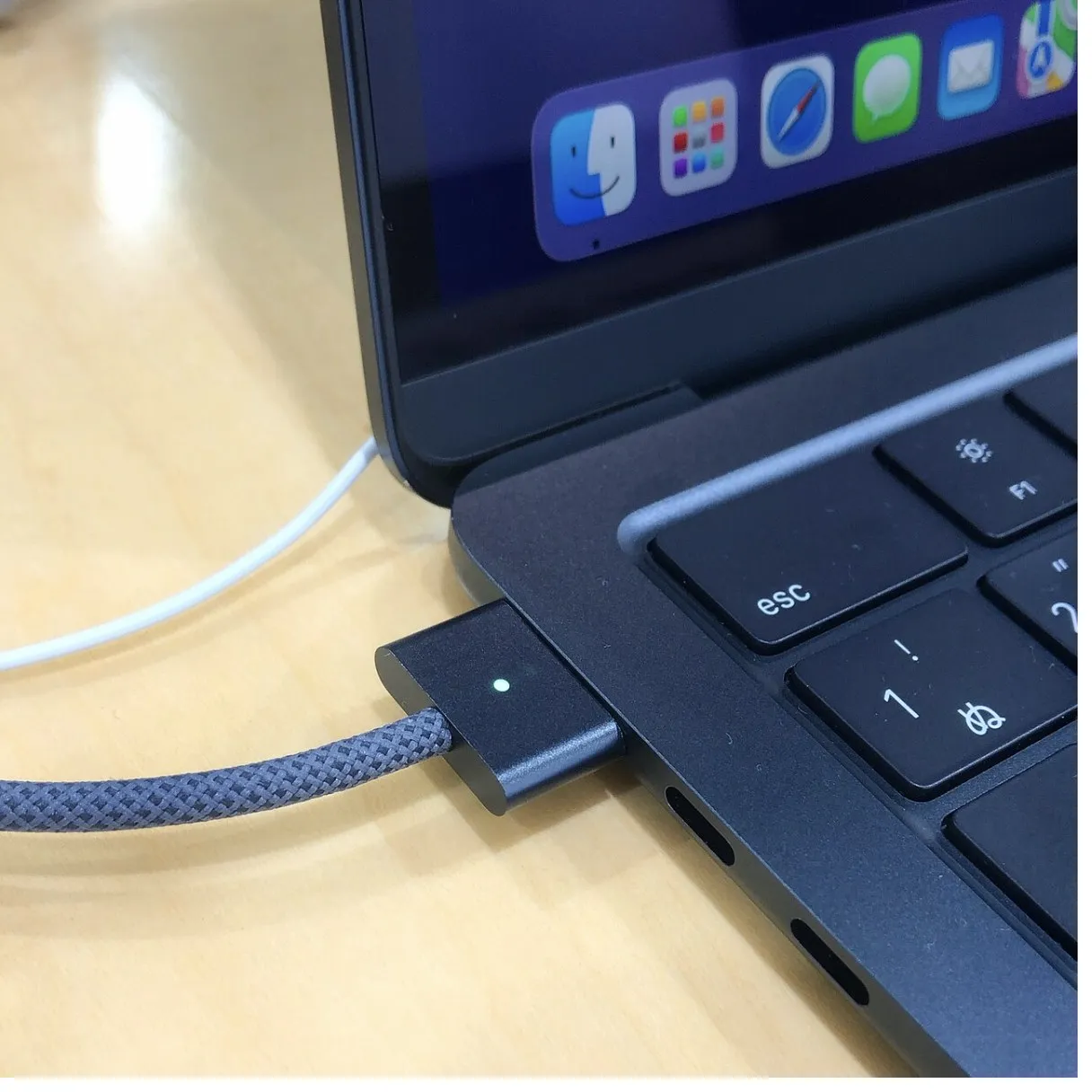
This is a comparison of Apple’s published specifications and support instructions. It includes no charging-speed, heat or battery-life tests. The photo shows a MagSafe connection on an M2 Air, not either of the adapters being compared.
Start with the device pair
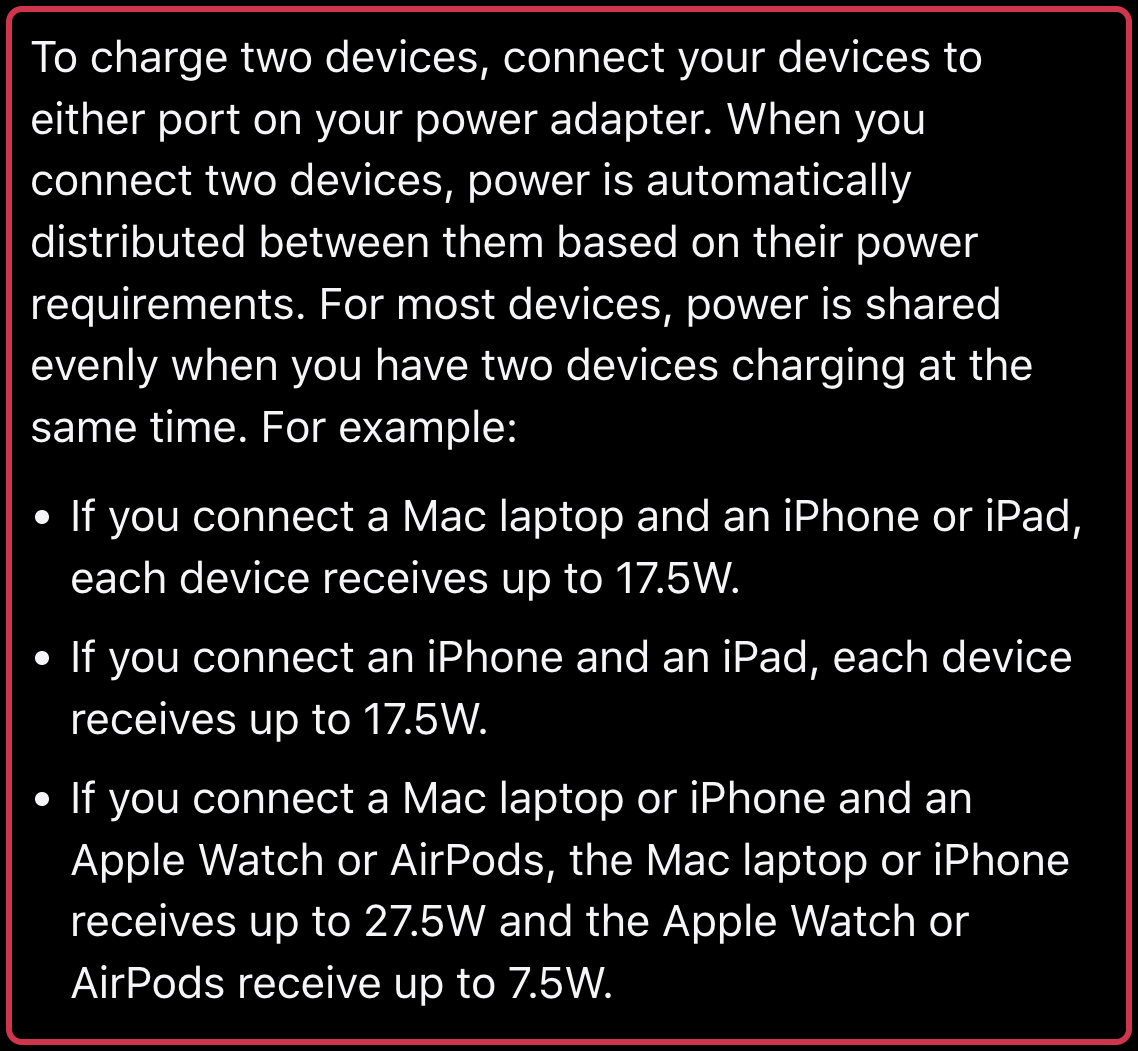
Apple’s 35W adapter instructions describe automatic power sharing according to the connected devices’ needs. The adapter’s maximum total output is 35W. That does not mean each port supplies 35W at once.
| Devices connected to Apple’s 35W dual adapter | Apple’s stated allocation |
|---|---|
| Mac laptop plus iPhone or iPad | Up to 17.5W per device |
| iPhone plus iPad | Up to 17.5W per device |
| Mac laptop or iPhone plus Apple Watch or AirPods | Up to 27.5W for the Mac or iPhone; up to 7.5W for the Watch or AirPods |
For an Air and phone left to charge together, the extra port can be useful. If you need the Air’s supported fast-charge option during a short break, the two-device convenience does not provide that capability. These allocations are maximums from Apple’s documentation, not power readings from our own devices.
Use the 70W option for the right Air and cable
Apple lists the 70W USB-C adapter with either a USB-C to MagSafe 3 cable or a USB-C charge cable as a fast-charge combination for MacBook Air models introduced in 2022 or later. Its stated result is up to 50 percent battery in around 30 minutes, with actual time varying by settings and environment.
That is Apple’s conditional claim. It does not establish that the 70W adapter charges every Air twice as fast as the 35W adapter, or extend this fast-charge claim to an M1 or older Air. The 35W adapter is not among Apple’s listed Air fast-charge combinations.
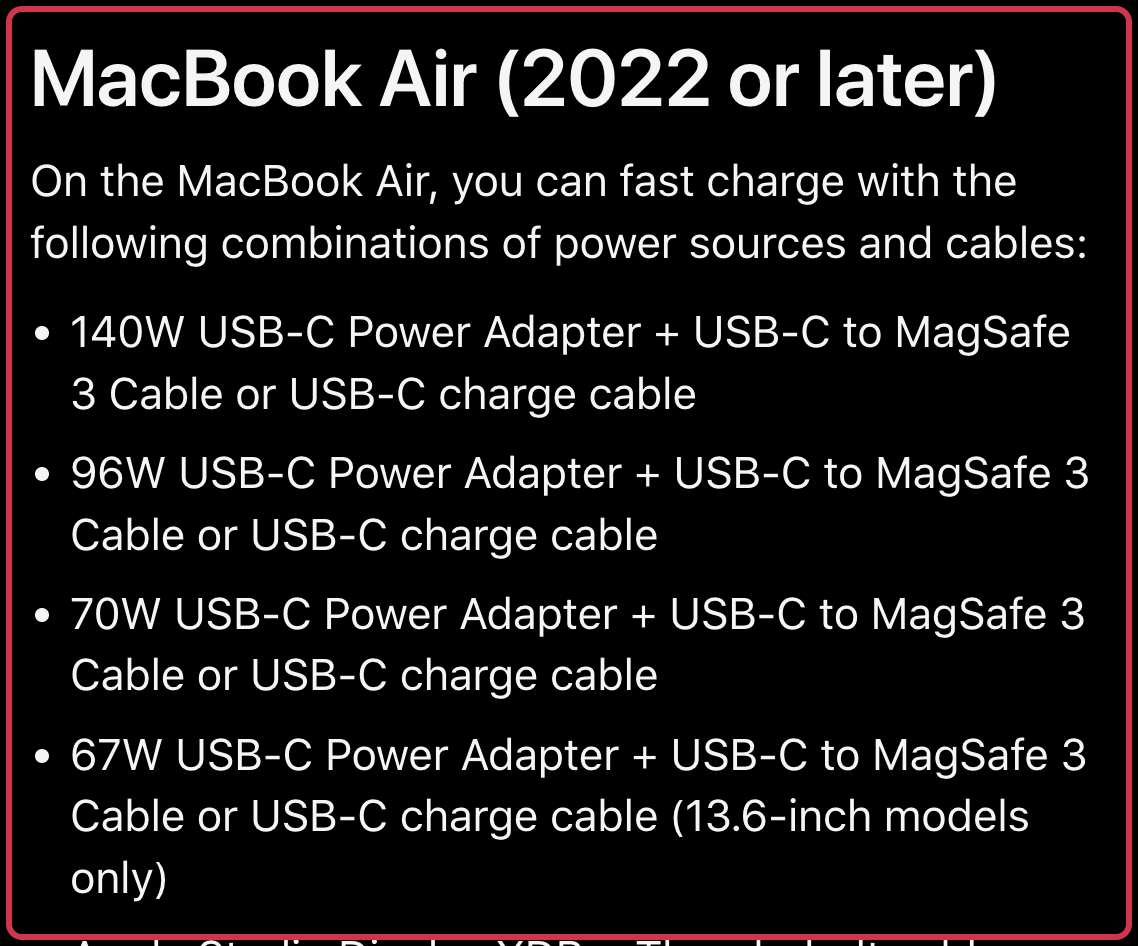
The same list includes higher-output Apple adapters and certain displays. If you already have a listed power source and suitable cable, a new 70W adapter may be unnecessary. The 67W adapter is also listed for 13.6-inch Air models; do not treat that condition as applying to every Air size.
The 70W adapter has one USB-C port. It does not by itself solve simultaneous Air fast charging and phone charging from one charger. If both are essential, compare another adapter’s published simultaneous output for the ports you will use. A large total wattage on its box does not establish the output for your particular pair. This guide does not recommend an unverified third-party model.
Try the no-purchase fix if the 35W adapter seems slow
Apple says to disconnect the other device and its charging cable when one device needs more power. If only the Air is charging, remove any unused cable still plugged into the other port. Then check whether the existing setup meets your needs before ordering a replacement.
Apple also suggests trying a different cable, preferably the one that came with the device, and checking that the devices do not need more power than the adapter can provide. Persistent charging problems may need service; a new cable or adapter is not a diagnosis.
Check the whole basket
Before buying, use the model-identification link on Apple’s fast-charge page if you are unsure which Air you have. Then check three things:
- The devices you need connected together. An Air and iPhone have a different 35W allocation from an Air and AirPods.
- The cable already available. Both adapter listings sell the charging cable separately. Reuse a suitable cable instead of adding an unnecessary one.
- Where the phone will charge. A one-port 70W adapter leaves that part of the setup to another power source if you need both devices connected at once.
If you already bought an adapter from Amazon and now want to exchange it, check the order’s actual return-by date first. Our Amazon return-window guide explains why Apple-branded products and other purchases can have different windows.
Sources
- How to use the 35W Dual USB-C Port Power Adapter (checked )
- Fast charge your MacBook Air or MacBook Pro (checked )
- Apple US — 35W Dual USB-C Port Compact Power Adapter (checked )
- Apple US — 70W USB-C Power Adapter (checked )
- Cover photo: KKPCW(Kyu3), CC BY-SA 4.0