Returning an opened iPhone or AirPods to Apple: a 14-day checklist
Apple takes back opened iPhones and AirPods bought from Apple within 14 days. What to do first, from Find My to your carrier, and how the refund comes back.
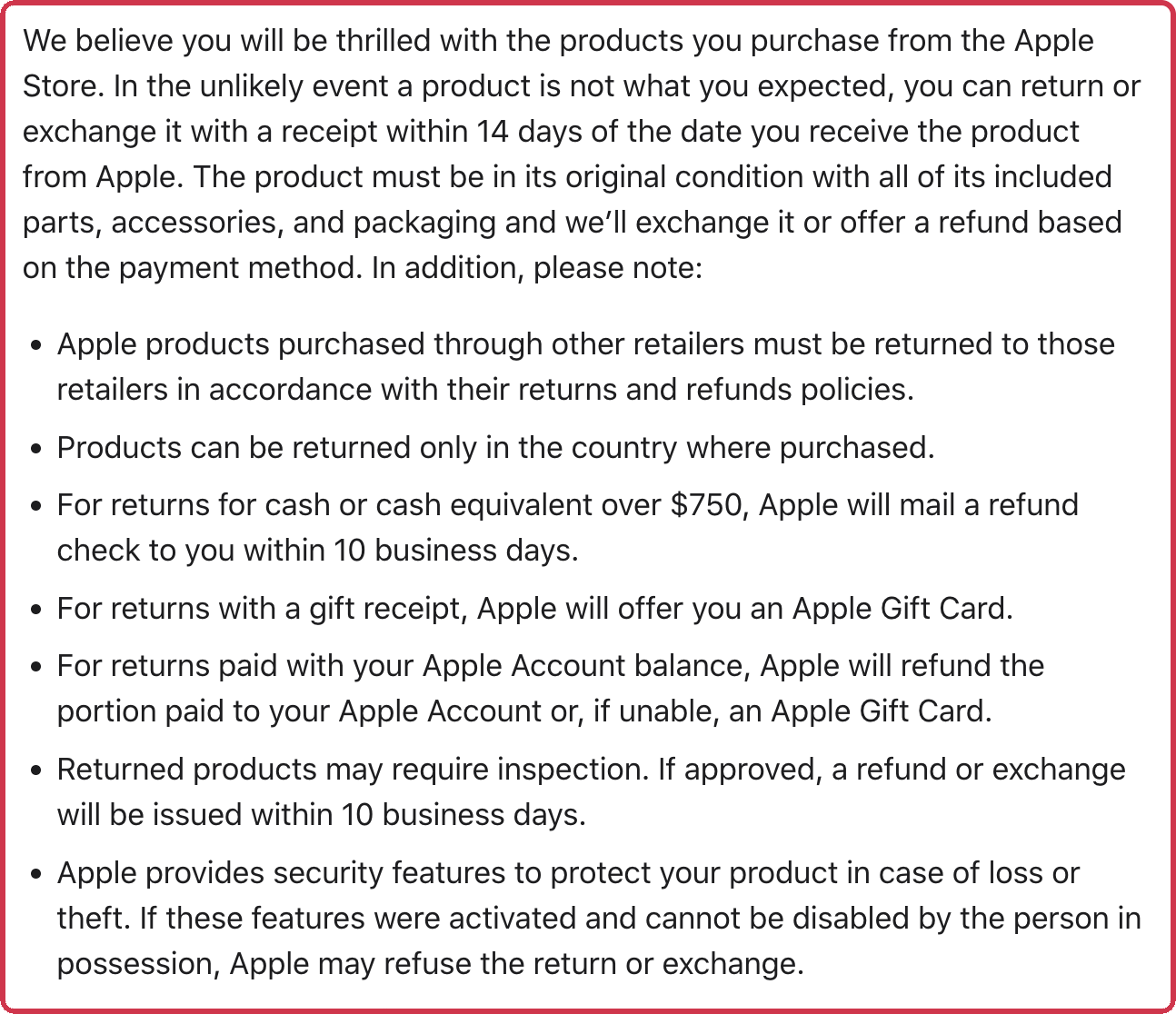
Opening the box doesn’t end your return window at Apple. Its US pages list no rule against returning opened hardware, and no restocking fee. Opened software is among the items Apple won’t take back. Apple’s own instructions assume an opened box, since they ask you to repack every cord, adapter, and document.
Before you return it
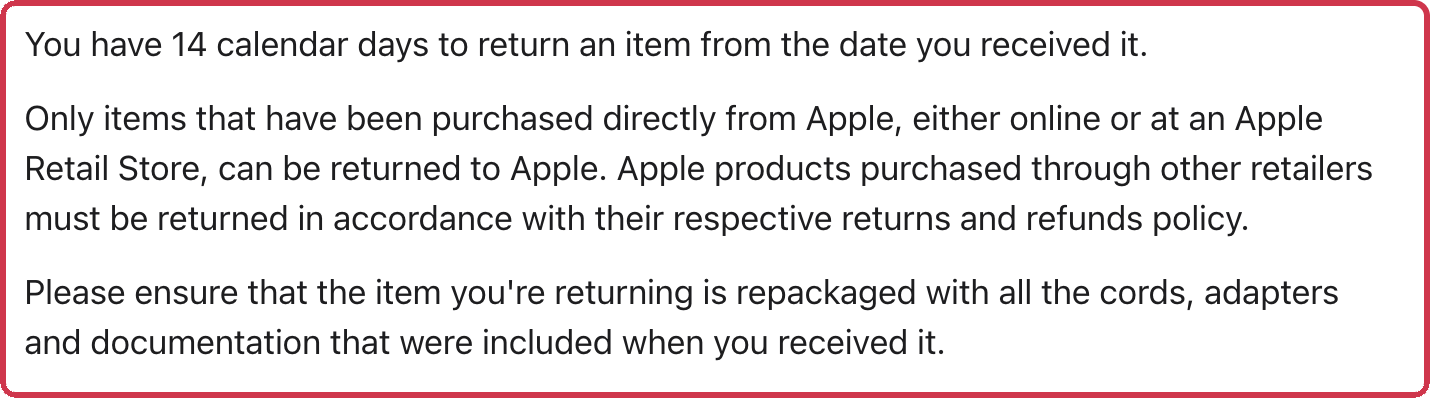
- Check where you bought it. Apple takes back only what you bought from Apple, online or in an Apple Store. An iPhone from a carrier store, Best Buy, or Costco goes back to that store under its rules. See the Best Buy restocking fee guide or Costco’s electronics returns.
- Count the days. You have 14 calendar days from the day you received it. For a delivery, that’s the delivery date, not the order date. Apple had not posted 2026 holiday return dates as of October 19, 2026; last year’s dates are in holiday return deadlines by store.
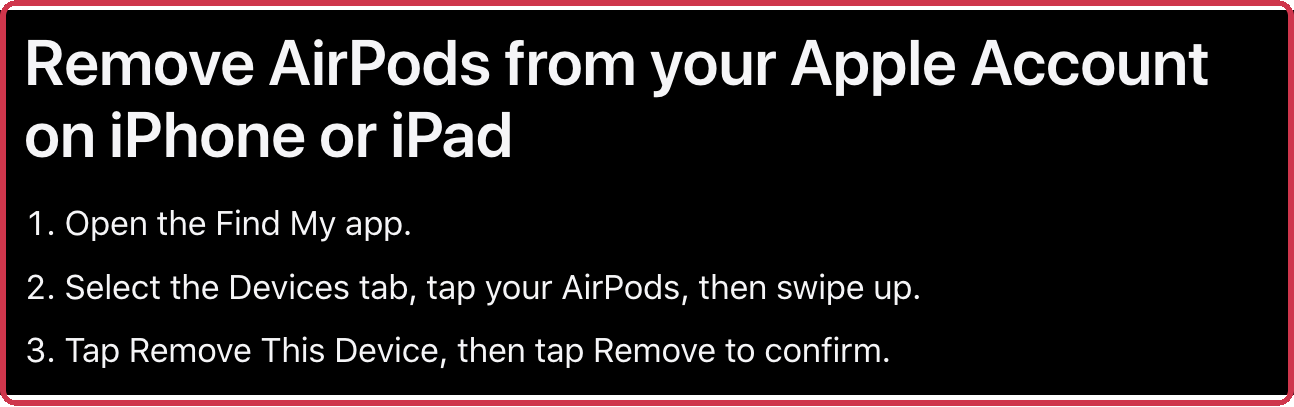
- Turn off Find My. Apple may refuse a return if the device’s security features are on and the person returning it can’t turn them off. For AirPods, open the Find My app, go to Devices, tap your AirPods, swipe up, and tap Remove This Device. For an iPhone, back it up, then follow Apple’s steps to erase it; erasing turns off Find My and Activation Lock.
- Sort out your wireless plan. Returning an iPhone or iPad may not cancel your service. Any carrier fees are yours, so call your carrier.
- Pack everything. Put the cables, adapters, papers, and the box back together. For AirPods, that includes the case and every ear tip that came in the box.
- Have your receipt or order ready. Apple’s policy asks for a receipt. To ship an online order back, start from your Order Listing page, or take it to any US Apple Store.
Is there a 25% restocking fee?
Apple’s US pages list no restocking fee at all. A 25% fee does appear in Apple’s Singapore sales terms. Buying in volume there means more than four from the same category, in one order or across orders. Those products must be returned within 7 days and carry a 25% restocking fee per item. That rule is not part of the US policy.
Shipping it back
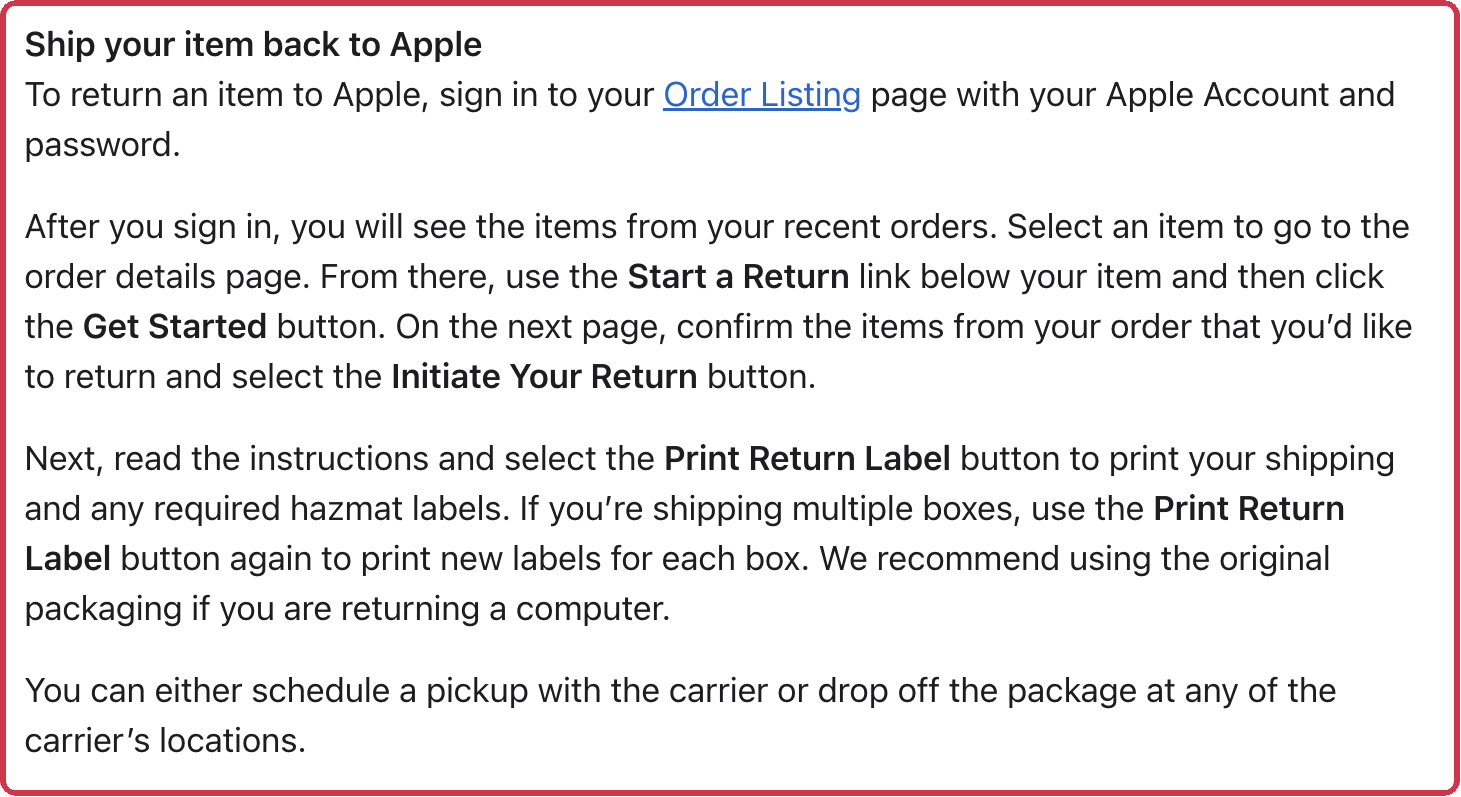
- Sign in to your Order Listing page and select the item.
- Choose Start a Return, then Get Started, then Initiate Your Return.
- Print the return label, plus any hazmat label it asks for.
- Schedule a carrier pickup or drop the box at one of the carrier’s locations.
Or skip the box and take it to any US Apple Store.
Exchanges, damaged items, and gifts
- Exchange it: take it to any US Apple Store, subject to what the store has in stock. Apple counts engraved AirPods as personalized, so they can only be returned for a refund, not exchanged in a store.
- Arrived damaged or wrong: return it to any US Apple Store, or call Apple at 1-800-676-2775.
- Got it as a gift: use Apple’s Gift Returns page with the serial number, or the order number plus the UPC from the box. The refund comes as an Apple Gift Card by email.
How your money comes back
| You paid with | Your refund |
|---|---|
| Credit or debit card | Sent to your bank within 5 business days after Apple gets the item |
| Apple Gift Card | An Apple Gift Card by email |
| Apple Account balance | Back to your balance, or a gift card if the balance is near its limit |
| Cash over $750, in a store | A check mailed within 10 business days |
| A gift receipt | An Apple Gift Card |
Any return may need an inspection first. If approved, the refund or exchange is issued within 10 business days.
If the price drops instead
If Apple lowers the price within 14 calendar days of the day you received the product, you can ask for the difference instead of returning it. Contact Apple within 14 days of the price change. Limited-time sales, such as Black Friday, don’t count.
iPhone Upgrade Program: returning AppleCare+ only
Returning only the AppleCare+ part of an iPhone Upgrade Program purchase ends your upgrade option under the program’s terms.
Sources
- Apple: Returns & Refunds (US) (checked )
- Apple: Sales and Refunds Policy, US Retail Sales (checked )
- Apple Support: Before you sell, give away, return, or recycle your AirPods (checked )
- Apple Support: What to do before you sell, give away, or trade in your iPhone or iPad (checked )
- Apple Singapore: Returns & Refunds (checked )
- Cover photo: Daniel Romero, Unsplash License